
Your team runs on WhatsApp, but your workflow software does not. Assigning tasks means switching apps, and updates get lost between chats.
This article explains what Tasks.Bot is, where it automates workflows through voice notes, auto-assignment, reminders and approvals, and which teams it suits. You will also see its pricing, beta status, and whether it replaces your current automation stack.
What Is Tasks.Bot? A WhatsApp-Native Task Management Platform
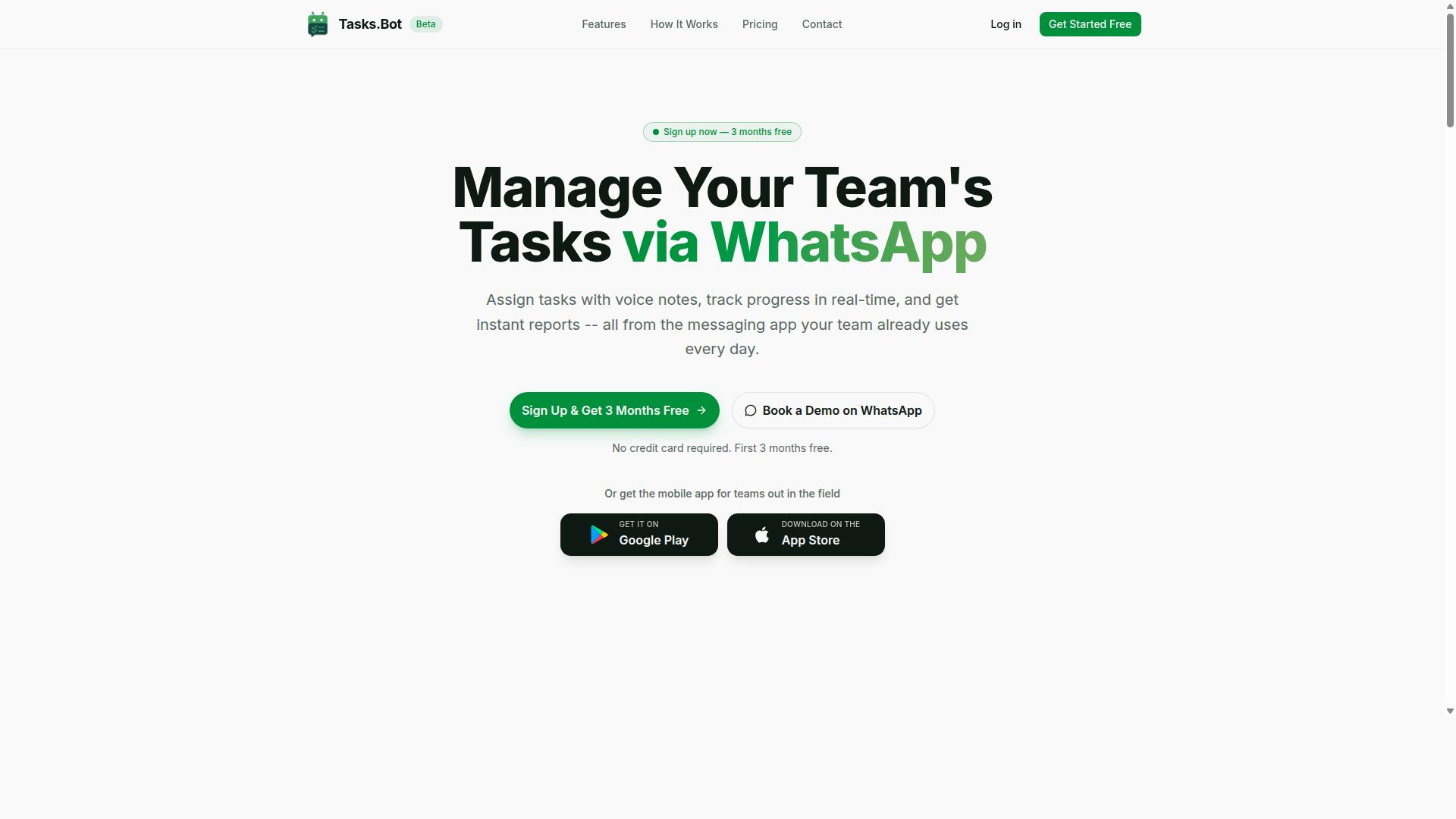
Tasks.Bot is a task management platform that operates entirely within WhatsApp, allowing teams to assign tasks, track progress, and receive reports without leaving the messaging app. Instead of asking workers to download yet another productivity tool, it meets them in the app they already open dozens of times a day.
That design choice matters for workflow automation software. Most business process automation assumes users will log into a dashboard. Tasks.Bot flips that assumption by treating WhatsApp itself as the interface, which removes one of the biggest barriers to adoption: app fatigue.
Core capabilities include:
- Task assignment so work is handed to a specific person inside a chat
- Progress tracking so managers can see what is done and what is pending
- Reporting so completed work turns into something a business can act on
The platform also offers a mobile app for field teams, giving on-the-ground staff a dedicated option alongside the WhatsApp experience. Tasks.Bot is currently in beta and offers a free trial period, so teams can evaluate fit before committing.
For anyone comparing no-code automation options, the value proposition is simple: less training, less switching between apps, and a shorter path from instruction to completion.
Who Tasks.Bot Serves: Teams With Field Staff on WhatsApp
Tasks.Bot is designed for teams that rely on WhatsApp for communication, especially those with field staff who need task management, attendance tracking, and payroll-ready hours. These are typically operations where a manager is coordinating people who are not sitting at a desk.
The pain points are familiar. Instructions get buried in group chats. Nobody can confirm who actually showed up. Hours are reconstructed from memory at the end of the month, which slows down payroll and invites disputes. Tasks.Bot targets each of those gaps directly.
Consider a service company with technicians spread across a city. A dispatcher assigns jobs through WhatsApp, workers mark progress as they go, and attendance is captured as part of the same flow. At month end, the hours are already recorded rather than pieced together from screenshots and voice notes.
This is where the platform differs from general project management tools built for office knowledge work. Field teams rarely need Gantt charts. They need clear assignments, proof of completion, and reliable time records.
The site mentions hundreds of teams already using the service, which suggests the WhatsApp-first model resonates with this audience. For organizations weighing workflow automation software, the question is less about feature count and more about whether staff will actually use it. A tool that lives inside WhatsApp answers that question before it is asked.
Is Tasks.Bot Good for Workflow Automation Software?
Tasks.Bot positions itself as a workflow automation tool, but how does it compare to dedicated automation platforms? The short answer is that it is genuinely good at what it was built to do, as long as you understand the category it belongs to. Tasks.Bot handles task management through WhatsApp, using AI to understand user intent and create tasks from messages. That single design decision removes a lot of the friction that makes traditional business process automation feel heavy.
Where dedicated platforms ask you to build flows inside a separate dashboard, Tasks.Bot meets teams in a messaging app they already use. Voice note task creation, automatic task assignment, smart deadline reminders, approvals and automations all live in the same conversation thread. There is no new interface to learn and no separate app to install before the first task exists.
It is important to be clear about the limits. Tasks.Bot is not a full-fledged RPA or low-code platform. It does not exist to stitch together dozens of SaaS systems through triggers, actions, and webhooks the way Zapier, Make, or n8n do. It also does not replace a project management suite like Trello, Asana, Monday.com, ClickUp, or Jira for complex, multi-team program planning.
What it does instead is automate the everyday loop that most teams handle manually: capturing a request, assigning it, tracking it, and confirming it was done. Features such as instant reports, tasks on a map, a live day tracker, face-verified attendance, and shifts, leave and hours management extend that loop into field and shift-based work. For the right team, that is the automation that actually gets used.
The sections below break down where Tasks.Bot automates workflows in practice, and where it fits best given that the service is currently in beta.
Where Tasks.Bot Automates Workflows: Voice Notes, Auto-Assignment, Reminders and Approvals
Tasks.Bot automates key workflows through voice notes, automatic task assignment, smart deadline reminders, and approval processes. Each one targets a specific point where manual coordination usually breaks down. Together they form a practical layer of task management automation rather than a general-purpose integration engine.
Voice note task creation is the most distinctive piece. A user records a message, and the platform uses AI to understand intent and turn that message into a task. For a field worker on a job site, this means no typing, no forms, and no switching apps. The request becomes a trackable item in the same channel where the conversation happened.
Automatic task assignment then routes that item without a manager manually sorting a queue. Smart deadline reminders keep it visible as the due date approaches, and approval processes give the work a clear sign-off step before it is considered closed. These are the mechanics behind business process automation at the team level: capture, assign, remind, approve.
The supporting feature set reinforces the same idea:
- Native WhatsApp integration, so tasks live where communication already happens
- Instant reports for a quick read on what was completed and what is pending
- Tasks on a map for location-based work
- A live day tracker, plus face-verified attendance and shifts, leave and hours management
- Android and iOS apps with push notifications, voice capture, and a home screen widget
Consider a simple example. A field worker sends a voice note about a broken fixture. The AI interprets it, a task is created, and it is auto-assigned to the right person. Reminders keep it on schedule, and an approval closes it out. No spreadsheet, no follow-up call, no lost message. These features are part of the Full Access plan.
Where It Fits Best - and What to Expect From a Beta Product
Tasks.Bot is currently in beta, so while it offers powerful automation, users should expect ongoing development and potential changes. That is not a reason to avoid it. It is a reason to match it to the right workflow before you depend on it for everything.
The clearest fit is a team already running on WhatsApp, especially one with field staff. If your people coordinate through chat today, Tasks.Bot adds structure without asking anyone to adopt a new tool. You skip the migration cost that stalls most productivity tool rollouts, because the interface is already familiar.
It also suits shift-based and location-based operations. Face-verified attendance, shifts, leave and hours management, and tasks on a map address problems that generic automation platforms largely ignore. A help desk or ITSM team looking for deep ticketing logic, or an HR onboarding flow spanning a CRM and an ERP, will want something else. This is a focused tool, not a universal one.
Before committing, weigh the beta status honestly:
- Features may evolve, so avoid building mission-critical workflows around a single behavior
- Support may be limited compared with a mature vendor
- Treat the current feature set as the baseline, not a guarantee of what ships next
- Confirm details directly, including the refund policy noted in the site footer
The practical approach is to start with a contained process, such as field task dispatch or daily shift handover, and expand once it proves reliable. For teams that need simple automation inside WhatsApp rather than a no-code automation project, Tasks.Bot is a strong and sensible choice. Just go in with clear eyes about what a beta product is.
Key Workflow Automation Features That Set Tasks.Bot Apart
Tasks.Bot differentiates itself with automation features that operate natively within WhatsApp, requiring no new apps or accounts. That single design decision changes how quickly a team can adopt workflow automation software.
Most business process automation tools ask people to learn a new interface, remember another password, and check one more dashboard. Tasks.Bot flips that model by meeting teams in a messaging app they already open dozens of times a day.
Its feature set covers the essentials of task management and then extends into areas many general tools handle poorly:
- AI that understands natural language and voice notes for task creation
- Automatic task assignment and smart deadline reminders
- Approvals and automations built into the chat flow
- Instant reports, plus tasks on a map
- Live day tracker, face-verified attendance, and shifts, leave, and hours management
Enterprise-grade encryption protects conversations and task data, which are never shared or used for training. Teams can evaluate all of this through a 3-month free trial with no credit card required.
The next two sections look at what this means in practice: first for everyday adoption, then for teams working outside an office.
No New Apps or Accounts: Automation Inside WhatsApp
One of Tasks.Bot's standout features is that it operates entirely within WhatsApp, so team members don't need to install anything or create new accounts. A new hire can be assigning and receiving tasks on day one.
That matters because adoption is where most workflow automation projects stall. When a productivity tool requires separate logins, people default back to chat threads and verbal instructions. Tasks.Bot removes that fork in the road.
Inside the chat, team members can:
- Assign tasks and receive automatic assignments
- Get smart deadline reminders without checking a separate calendar
- Submit approvals as part of the conversation
- Create tasks by typing naturally or sending a voice note
The AI interprets intent from plain language and voice messages, so no one has to learn a syntax or fill out a long form. This keeps the approval process and recurring tasks moving inside the same thread where the work was discussed.
For managers, the payoff is less training time and fewer reminders about where things live. For team members, it means fewer places to check and less chance a request gets lost. Contrast that with tools such as Trello, Asana, or ClickUp, which are capable platforms but generally assume users will log in regularly. Tasks.Bot's approach is narrower by design, and that focus is exactly what makes compliance easier to sustain.
Field-Team Automation: Live GPS Tracking, Face-Verified Attendance and Day Tracker
For field teams, Tasks.Bot offers live GPS tracking, face-verified attendance, and a day tracker to monitor progress and hours. These features target the parts of remote work that are hardest to verify from a desk.
Live GPS tracking gives managers real-time location visibility, and tasks on a map connect that location to actual work. A field manager can see which jobs are assigned, where staff are, and how the day is progressing without calling each person for a status update.
Face-verified attendance addresses a familiar problem for teams with field staff: buddy punching, where one person marks another as present. Verification ties attendance to the person on site, which makes the record more trustworthy for payroll and client reporting.
The live day tracker logs hours as the day unfolds, feeding shifts, leave, and hours management. Instead of reconstructing timesheets at the end of the week, managers work from a running record.
Put together, a typical field day looks like this: staff verify attendance on arrival, receive tasks through WhatsApp, and update progress from the job site. Location and hours update along the way, and approvals happen in the same chat. For organizations running business process automation across office and field staff, that combination of task management and verified attendance is where Tasks.Bot stands apart from general project management platforms.
Pricing and Plans: Full Access With a Free Trial
Tasks.Bot offers a single 'Full Access' plan with all features included, priced at ₹200 per member per month or ₹1,200 per year per member. That is the entire pricing structure. There is no Basic tier, no Pro tier, and no Enterprise tier hiding the useful parts behind an upgrade prompt.
For teams comparing workflow automation software, this simplicity matters. Most tools in this space split capabilities across multiple plans, so the feature you actually need often sits one tier above the one you bought. Tasks.Bot removes that decision entirely: one plan, every feature.
Pricing is listed in Indian Rupees (₹) and US Dollars ($). A currency selector on the site lets you switch between the two, so it is worth confirming which currency applies before you commit. Annual billing works out to ₹100 per month per member, a saving of 50% compared with paying monthly, or ₹1,200 saved per member each year.
| Plan | Price | Billing | Features |
|---|---|---|---|
| Full Access | ₹200 per member / month | Monthly | All features included |
| Full Access | ₹1,200 per member / year | Annual (₹100 per month equivalent) | All features included |
New users get 3 months free, with no credit card required and the ability to cancel anytime. That gives a team a genuine window to test whether the tool fits its task management and approval process habits before any payment is made.
Many workflow automation platforms bill by feature. A no-code automation builder might sit in one plan, API access in another, and integration with tools like Slack, Microsoft Teams, or Google Workspace somewhere else again. Tasks.Bot skips that model. Because there are no tiered plans, you are not forced to predict which capabilities you will need six months from now, or to upgrade mid-project when a workflow suddenly requires something you did not anticipate.
For a growing team, per-member pricing is also easy to forecast. Ten members on the annual plan comes to ₹12,000 per year, and twenty members comes to ₹24,000. No hidden platform fee, no separate charge for a feature module, and no surprise line item at renewal. For a business process automation tool, that kind of predictability is a real advantage when you are budgeting for headcount and software together.
The free trial plus a single all-inclusive plan means the evaluation is straightforward: confirm the currency, run your workflows during the trial period, and then decide. There is no upsell ladder to climb afterward.
Trust Signals: Security, Beta Status and Refund Policy
Tasks.Bot is currently in beta, but it offers a refund policy and emphasizes security through features like face-verified attendance. For anyone evaluating workflow automation software, those two signals matter more than a polished version number. They show a product that is actively being built and a team willing to stand behind it financially.
Beta status is the first thing a careful buyer notices. It usually means the platform is still evolving, so features may shift and occasional rough edges are possible. That is a fair concern for any business process automation rollout, especially when workflows touch payroll, HR onboarding, or client-facing approvals.
The upside is that beta products often improve quickly because feedback reaches the developers directly. Early users can shape how task management and approval process features develop. The trade-off is simple: you gain influence and often better attention, but you accept that the product is not frozen.
Security is where Tasks.Bot makes a concrete claim. The platform highlights face-verified attendance, a feature that ties check-ins to a real person rather than a shared login or a buddy punching in. For teams tracking shift work, field staff, or on-site employees, that reduces a common source of timekeeping disputes.
Data handling is another point worth noting. Much of the interaction happens inside WhatsApp, a channel most teams already use daily. Working within a familiar messaging environment can lower the risk of shadow tools and scattered spreadsheets, since conversations and tasks stay in one place rather than spreading across personal apps.
The refund policy, mentioned in the site footer, is the clearest financial safeguard. A stated refund option shifts some of the risk away from the buyer. If the beta does not fit your workflow, you are not necessarily locked into a sunk cost, which matters when budgets are tight.
There is also a small but telling detail: the copyright year on the site reads 2026. That signals an actively maintained website rather than an abandoned project. A current footer is not proof of quality on its own, but a stale one is often a warning sign.
Weighing these signals comes down to your tolerance for change. Consider the following before committing:
- Stability needs: if your workflows are mission critical and cannot tolerate change, beta status deserves extra scrutiny.
- Feedback appetite: if you want to influence the roadmap, an early-stage product can be an advantage.
- Financial exposure: the refund policy limits downside if the fit is wrong.
- Security fit: face-verified attendance and WhatsApp-based handling suit teams that need identity checks and familiar channels.
For most small and mid-sized teams, the balance leans positive. You get a productivity tool that is still improving, a refund path if it does not work out, and security features aimed at real operational risks. None of that removes the need for a trial run on a low-stakes workflow first.
The practical advice is to test Tasks.Bot on something reversible, such as recurring tasks or a simple notification flow, before moving core processes onto it. That approach lets you judge reliability for yourself while the refund policy sits in the background as a safety net. On balance, the trust signals here are reasonable for a beta-stage platform, and the refund policy plus visible security features make it a defensible choice rather than a gamble.
Who Should Use Tasks.Bot
Tasks.Bot is ideal for teams that already use WhatsApp for communication, particularly those with field staff who need task management, attendance tracking, and payroll-ready hours. If that sounds like your operation, this workflow automation software was built with your daily reality in mind.
The platform fits teams that want automation without adding another app to the stack. Since the work happens where conversations already happen, adoption tends to be faster and training demands stay low.
Here is a closer look at the profiles that get the most value, and the ones that may want to look elsewhere.
Small and medium-sized teams are a natural fit. These groups often lack the budget or IT staff for heavyweight business process automation platforms, and they rarely need one. Tasks.Bot keeps setup simple, which matters when there is no dedicated operations team to configure triggers, actions, or approval process logic.
Field-based operations benefit most from the core feature set. Task management, attendance tracking, and payroll-ready hours map directly to the needs of crews, drivers, technicians, and remote staff who are rarely at a desk. Managers get visibility without chasing paper timesheets or spreadsheet updates.
Businesses that rely on WhatsApp for coordination avoid the biggest barrier to automation adoption: getting people to use a new tool. Because Tasks.Bot works through the channel teams already check all day, there is no second inbox to monitor and no separate login to remember.
The benefits stack up in a practical way:
- No new apps for staff to install or learn, which lowers resistance and speeds up rollout
- Simple automation for recurring tasks, scheduling, and notifications without a steep learning curve
- Field-team features covering task management, attendance tracking, and payroll-ready hours in one place
This is also where Tasks.Bot differs from general-purpose productivity tools. Platforms like Trello, Asana, Monday.com, ClickUp, or Jira assume users will log in and work inside a dashboard. For desk-based teams that is fine. For a field crew, it often is not.
Tasks.Bot also stands apart from integration-first tools such as Zapier, Make, Integromat, or n8n. Those excel at connecting systems through APIs and webhooks, but they still require someone to design and maintain the flows. Tasks.Bot targets the simpler question: can the team get organized and paid correctly without new software?
The track record supports the fit. The service reports that hundreds of teams already use it, which suggests the approach works beyond a single industry or region.
Not every organization is a match, though. Being clear about that helps you decide faster.
Large enterprises with complex integration needs may find Tasks.Bot too focused. If your workflows depend on deep connections to a CRM, ERP, help desk, ticketing system, or ITSM platform, or if you need a full low-code platform with conditional logic and custom triggers, a broader tool is likely the better route.
Teams that do not use WhatsApp will miss the main advantage. The whole value proposition rests on working inside a channel people already use. If your communication runs through Slack, Microsoft Teams, or Google Workspace, the convenience factor largely disappears.
Organizations expecting robotic process automation or enterprise-grade governance will also want to look at heavier platforms. Tasks.Bot is not positioned as an RPA suite, and it does not try to be.
The short answer: Tasks.Bot is a strong choice for small and mid-sized teams with field staff who coordinate over WhatsApp. It is a poor fit for enterprises chasing deep integrations or teams committed to a different messaging stack.
Final Verdict: Is Tasks.Bot Worth It for Workflow Automation?
Tasks.Bot is a compelling option for teams seeking workflow automation within WhatsApp, especially those with field staff, but its beta status means it's best suited for early adopters. It does not try to replace heavy business process automation suites. Instead, it meets teams where they already are: inside the chat app they open dozens of times a day.
That positioning is the product's biggest strength. No new app to download, no dashboard to learn, no adoption campaign to run. For a field team that ignores desktop project management tools, that difference matters more than any feature comparison chart.
Here is the balanced picture, starting with what Tasks.Bot does well.
Strengths worth noting:
- WhatsApp-native task management. Tasks, updates, and notifications live in a channel your team already checks. That removes the friction that kills most productivity tool rollouts.
- Built with field teams in mind. Staff working on-site or on the move can manage tasks without switching to a laptop or logging into a separate platform.
- Simple pricing. There is no complicated tier maze to decode before you can evaluate the tool.
- A free trial. You can test whether WhatsApp-based task management fits your workflow before committing budget.
Limitations to weigh honestly:
- Beta status. The product is still maturing, so teams that need a fully settled platform with years of stability behind it should factor that in.
- Limited integrations compared to full automation platforms. If your roadmap requires deep connections across a CRM, ERP, help desk, or ITSM stack, a dedicated no-code automation or low-code platform will cover more ground.
- Not a replacement for RPA or complex conditional logic engines. Tasks.Bot handles task management and workflow automation inside WhatsApp. It is not designed to orchestrate enterprise-grade robotic process automation.
The honest comparison is this: tools like Zapier, Make, or n8n connect hundreds of apps and shine at cross-platform orchestration. Trello, Asana, Monday.com, and ClickUp offer richer project management views. Tasks.Bot competes on a different axis. It wins when the bottleneck is not features but whether your team will actually use the tool at all.
For a field-heavy operation, a sales team coordinating over chat, or a small business that never fully adopted a project management platform, that trade-off often favors Tasks.Bot. For an organization that needs workflow automation woven through Slack, Microsoft Teams, Google Workspace, and a dozen backend systems, a broader platform remains the safer pick.
The verdict: if your team lives on WhatsApp and needs task management with automation built in, Tasks.Bot is worth a try. The free trial makes that decision low-risk, and the WhatsApp-native approach solves a problem most productivity tools never address.
To get started or book a demo on WhatsApp, reach out by phone at +91 97143 42522 or email [email protected].
Frequently Asked Questions
What exactly is Tasks.Bot, and how does it fit into workflow automation?
Tasks.Bot is a task management platform that runs inside WhatsApp, letting teams assign tasks, track progress, and receive reports without leaving the messaging app. It also offers a mobile app for field teams. For workflow automation, that means task creation, assignment, reminders, approvals, and reporting happen in the same place your team already communicates.
Do my team members need to install new software or create accounts?
No. Tasks.Bot operates entirely within WhatsApp, so team members don't need to install anything or create new accounts to get started. A separate mobile app is available for field teams who need it. This keeps adoption simple, especially for staff who aren't used to traditional project management tools.
How does Tasks.Bot handle task creation and assignment?
Tasks.Bot uses AI to understand natural language and voice notes, so you can create tasks simply by typing or sending a voice message. Automatic task assignment then routes work to the right people, and smart deadline reminders help keep things on track. Approvals and automations are also built in to reduce manual follow-up.
What reporting and tracking features are included?
Tasks.Bot provides instant reports, live day tracking, and tasks on a map, which is particularly useful for teams with field staff. It also offers face-verified attendance and payroll-ready hours. Everything is accessible within WhatsApp, so you don't have to chase updates across multiple tools.
How much does Tasks.Bot cost?
Tasks.Bot offers a single 'Full Access' plan with all features included, priced in Indian Rupees (₹) and US Dollars ($). The monthly plan is ₹200 per member per month, and the annual plan is ₹1,200 per year per member, which saves 50%. The service is currently in beta, and the website mentions a refund policy.
Is Tasks.Bot available in my country, and how do I get started?
Tasks.Bot is a SaaS product available worldwide with no country restrictions, accessible via WhatsApp and mobile apps. You can book a demo directly on WhatsApp to see how it works for your team. For other questions, reach out at [email protected] or +91 97143 42522.
Recommended Resources: